
WordPress vs Webflow for Business Websites
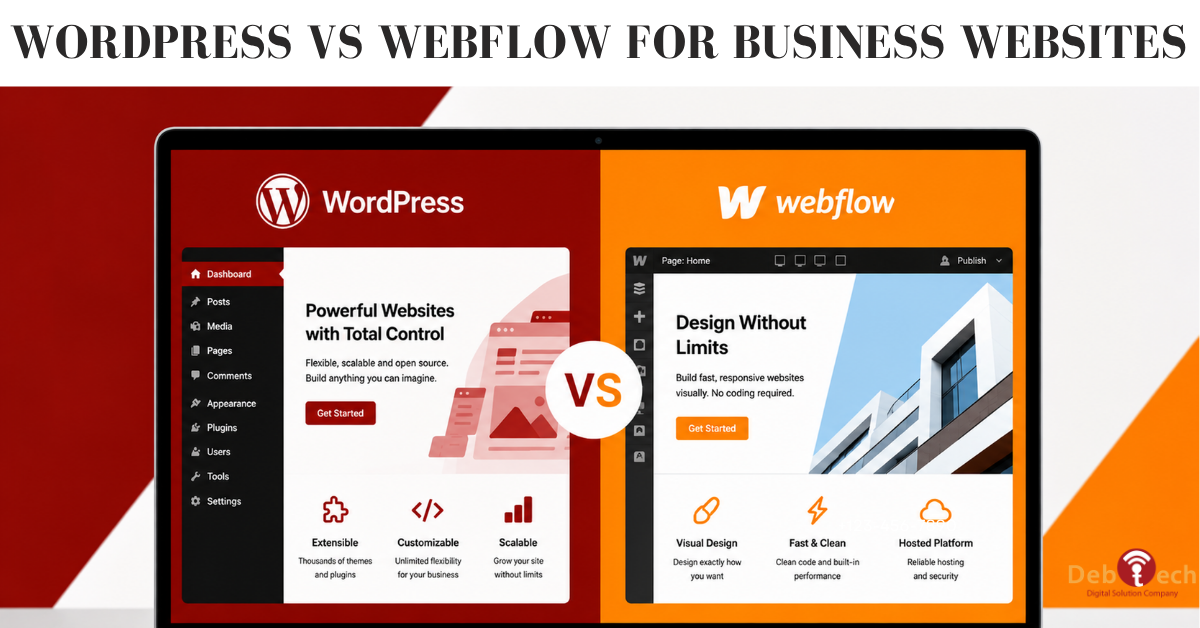
A website platform is not just a design decision. It affects how fast your team can publish, how well your site supports search visibility, how easily landing pages can support campaigns, and how much control you retain as your business grows. In the WordPress vs Webflow for business decision, the right answer depends less on which platform is popular and more on what your digital system needs to accomplish.
For a local service company generating leads, a growing B2B firm running paid campaigns, or an organization managing a content-heavy site, the platform has to support measurable outcomes. That means mobile performance, clean user journeys, conversion tracking, reliable publishing workflows, and the flexibility to improve the site without rebuilding it every year.
WordPress vs Webflow for Business: The Core Difference
WordPress is a flexible content management system with a massive ecosystem of themes, plugins, developers, and integrations. It can power a straightforward five-page service website, a large resource center, an eCommerce operation, or a custom portal. Its strength is ownership and extensibility. With the right build and governance, WordPress can adapt to complex business requirements over time.
Webflow is a visual website platform that gives designers more direct control over layouts, interactions, and responsive behavior. It is especially effective for polished marketing sites where brand presentation, page speed, and fast design iteration matter. Its managed environment also reduces many of the technical maintenance tasks that come with a self-managed WordPress installation.
Neither is automatically the better business choice. The practical question is whether your organization needs maximum flexibility, a controlled visual publishing environment, or a combination of both through a broader digital strategy.
Choose WordPress When Control and Growth Matter Most
WordPress is often the stronger choice for businesses that see their website as an evolving marketing and operations asset rather than a fixed brochure. It works well when your team expects to add functionality, publish substantial content, connect outside tools, or support multiple marketing initiatives from one platform.
Content and SEO Need Room to Scale
For businesses investing in SEO, WordPress provides meaningful control over site architecture, metadata, redirects, structured data, internal linking, content templates, and technical optimizations. Those details matter when your website must rank across service areas, industry topics, product categories, or high-intent local searches.
A strong WordPress implementation does not mean installing every available plugin. In fact, that approach creates the slow, unstable sites that give WordPress a bad reputation. A conversion-focused build uses a deliberately selected technology stack, clean templates, disciplined permissions, and ongoing monitoring. The result is a site that can support content production without sacrificing performance.
WordPress also gives marketing teams more options when they need unique landing page structures, lead-routing logic, forms connected to a CRM, gated content, appointment workflows, or campaign-specific tracking. If paid search, local SEO, email marketing, and content are all active channels, that flexibility becomes a business advantage.
Custom Functionality Is on the Roadmap
Many businesses start with basic needs and quickly outgrow them. A professional services firm may need a searchable resource library. A multi-location company may need location-level pages and reporting. An eCommerce operation may need custom product rules, customer workflows, or integrations with internal systems.
WordPress is usually better positioned for those scenarios because custom development is a core part of its ecosystem. That does require the right development partner and a clear maintenance process. But it prevents your organization from having to reshape its operations around a platform's limitations.
Your Team Needs Long-Term Ownership
WordPress can be hosted and managed in an environment selected for your business requirements. This gives organizations more control over data, infrastructure, custom code, and future migration paths. For companies with internal marketing teams, multiple vendors, procurement requirements, or a need for tailored workflows, that level of ownership can be valuable.
The trade-off is responsibility. WordPress requires ongoing updates, backups, security oversight, plugin reviews, and performance checks. A professional build should include a clear plan for each of those tasks rather than treating launch day as the end of the project.
Choose Webflow When Speed of Design Execution Is the Priority
Webflow is a strong option for businesses that need a highly polished marketing website and want their team to make controlled visual edits without managing servers, updates, and plugin compatibility. It is particularly useful for brand-forward companies, startups validating positioning, and businesses launching focused campaign sites.
Design Consistency Is Non-Negotiable
Webflow gives skilled designers precise control over spacing, typography, responsive layouts, animation, and component systems. This makes it easier to maintain visual consistency across key marketing pages. When a business is repositioning, launching a new offering, or competing in a crowded market where trust is influenced by presentation, that control has real value.
The platform can also reduce the gap between design files and the live site. Instead of handing static mockups to a developer and hoping every detail carries through, teams can build and refine the visual system directly in the platform.
Your Website Is Primarily a Marketing Site
Webflow tends to be a practical fit when the website is focused on brand credibility, service pages, case studies, lead generation, and a manageable collection of editorial content. It can support core SEO work, responsive design, forms, and campaign landing pages effectively.
For a company with a small marketing team and a clear set of website needs, that simplicity can accelerate execution. The managed hosting environment also means fewer routine technical decisions for your staff.
The trade-off appears when requirements become highly specialized. Complex membership experiences, extensive third-party integrations, advanced eCommerce logic, large-scale content operations, and custom application features can require workarounds or a different platform altogether. Webflow is not weak because it has boundaries. It is strongest when those boundaries match the scope of the website.
Evaluate the Platform Through Revenue, Not Preference
A platform comparison becomes more useful when you evaluate it against the work your website must do. Start with the primary conversion path. Is the goal a phone call, quote request, consultation booking, demo request, online purchase, or qualified lead form? The platform must make that path fast and friction-free on mobile devices.
Next, assess your acquisition channels. Businesses relying on local search and ongoing content typically benefit from WordPress's flexibility and mature SEO ecosystem. Businesses with concentrated paid campaigns and a limited number of high-impact pages may find Webflow's design workflow especially effective. Many companies need both strong organic visibility and fast campaign deployment, which makes the quality of the implementation more important than the platform label alone.
Then consider who will manage the site six months after launch. A platform that is technically capable but difficult for your team to update will create bottlenecks. On the other hand, a platform that is easy to edit but cannot support the next stage of your business will force a costly operational reset. Roles, training, approvals, and governance deserve attention before development starts.
Finally, identify the integrations that are essential to your sales and marketing process. Form submissions, call tracking, CRM records, analytics, email automation, scheduling tools, product systems, and reporting should not be treated as afterthoughts. A website should connect to the way your business actually wins and serves customers.
SEO, Performance, and Security Are Implementation Issues
It is easy to find broad claims that one platform is better for SEO, faster, or safer. The more accurate answer is that the underlying build, content strategy, hosting setup, and maintenance process have a major impact.
Webflow offers a managed environment with strong baseline performance and fewer moving parts for users to maintain. That can reduce technical risk for a marketing-focused website. WordPress can also deliver excellent speed and security, but it requires disciplined development: lightweight code, properly optimized assets, reputable hosting, limited plugins, access controls, backups, and regular updates.
For SEO, both platforms can support the fundamentals. The difference is how much flexibility your strategy requires. If your search plan involves hundreds of pages, complex templates, location content, rich editorial publishing, custom schema, or frequent technical improvements, WordPress often provides more room to operate. If the site is smaller and marketing-led, Webflow can meet the need without adding unnecessary complexity.
Build for the Next Business Requirement
The best platform is the one that supports your next meaningful business requirement without weakening conversion, search performance, or operating efficiency. For many established and growth-focused companies, WordPress offers the scale and integration capacity to serve as the center of a larger digital system. For design-led marketing sites with controlled scope, Webflow can provide speed, clarity, and a strong visual result.
Before choosing, map the customer journey, your lead sources, the content you plan to publish, and the systems your team already uses. A website should make those moving parts work together. That is where a platform decision stops being a design debate and starts becoming a growth decision.