
How to Optimize Core Web Vitals for More Leads
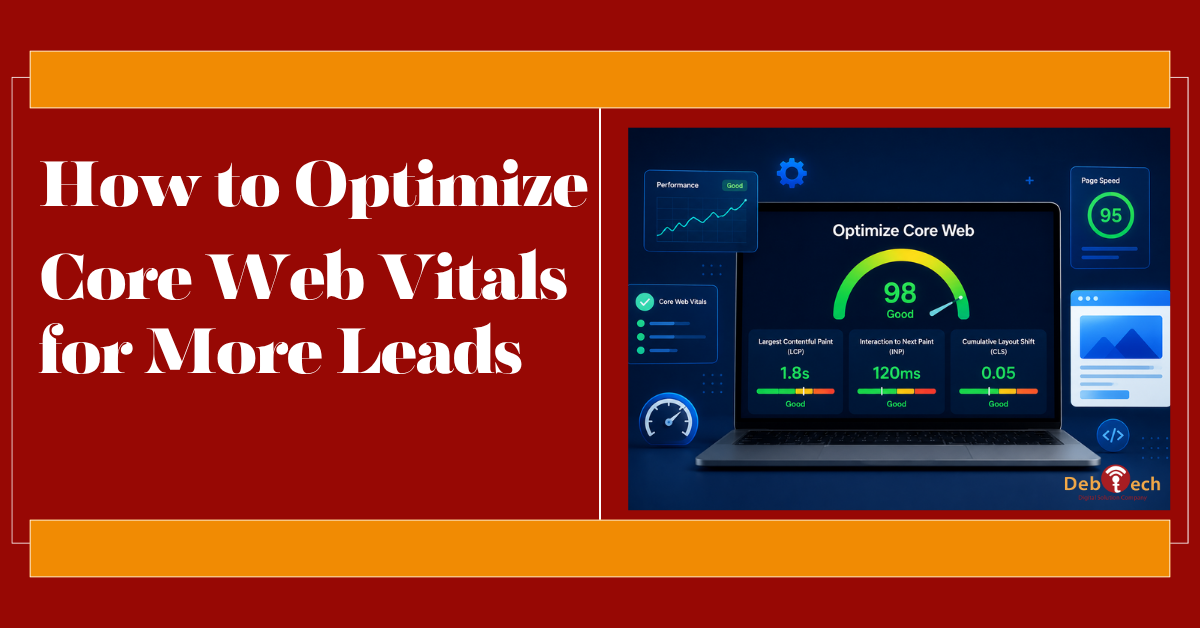
A visitor clicks your paid ad, waits for the page to appear, then leaves before your headline or form loads. That is not just a technical issue. It is wasted ad spend, weaker engagement, and a lost sales opportunity. Businesses that optimize Core Web Vitals reduce friction at the exact moment a prospect is deciding whether to stay, call, book, or submit a form.
Core Web Vitals are Google’s user-experience performance signals. They measure how quickly meaningful content appears, how responsive the page feels when someone interacts with it, and whether the layout shifts unexpectedly. For a conversion-focused website, these signals matter because they reflect the experience real people have, especially on mobile connections and mid-range devices.
What Core Web Vitals Measure
The three primary metrics are Largest Contentful Paint, Interaction to Next Paint, and Cumulative Layout Shift. Each one reveals a different obstacle that can cost a business leads.
Largest Contentful Paint (LCP) measures how long it takes for the largest visible content element to render. On many service websites, that is the hero image, headline block, or prominent banner. Google considers an LCP of 2.5 seconds or less good. If your key message arrives late, visitors may assume the site is slow, unreliable, or not worth their time.
Interaction to Next Paint (INP) measures how quickly the page responds after a user clicks, taps, or types. A good INP is 200 milliseconds or less. Slow interaction is common on pages overloaded with third-party scripts, animations, chat tools, tracking tags, and heavy form logic. The page may look finished while still feeling broken to the person trying to use it.
Cumulative Layout Shift (CLS) measures visual stability. A score of 0.1 or lower is the target. If a call-to-action button jumps as a font, image, review widget, or banner loads, a user can tap the wrong item or lose confidence. On mobile, where screen space is limited, even small shifts are disruptive.
These are not isolated SEO scores. They connect directly to lead generation. A site that loads key content promptly, accepts interactions without delay, and keeps its layout stable gives visitors fewer reasons to abandon the page.
Start With Real-User Performance Data
Do not make optimization decisions based only on how fast the website feels on an office Wi-Fi connection. Core Web Vitals are evaluated with field data collected from real Chrome users over time. That means a page can perform well in a development environment yet struggle for visitors on cellular networks, older phones, or high-traffic landing pages.
Review performance at the page-template level. Your homepage, service pages, location pages, product pages, blog posts, and paid campaign landing pages can have very different problems. A fast homepage does not offset a slow landing page that receives most of your PPC traffic.
Look for patterns before making changes. If LCP is poor across the site, the issue may be server response time, excessive render-blocking code, or unoptimized global assets. If only one campaign page is slow, the cause may be a high-resolution hero image, embedded video, or an extra script added for that campaign. This distinction prevents teams from treating every page with the same generic fix.
Lab tests remain useful because they help diagnose specific problems before and after deployment. Use them alongside field data, not as a substitute for it. The goal is measurable improvement for actual visitors, not a single perfect test score.
How to Optimize Core Web Vitals Without Hurting Conversion
Performance work should protect the page’s sales function. Removing every image, tracking tool, or interactive feature may improve a score while weakening the marketing system. The right question is not, “What can we remove?” It is, “What delivers enough business value to justify its performance cost?”
Improve LCP by Prioritizing What Visitors See First
The largest element above the fold should load early and efficiently. Start with the hero section because it often controls LCP and first impressions at the same time.
Use properly sized, compressed next-generation image formats where appropriate. A 2,500-pixel desktop image should not be sent to a phone that needs a much smaller version. If the hero image is essential to the page message, load it with priority rather than lazy-loading it. Lazy loading is valuable for images farther down the page, but using it on the primary visual can delay the exact content Google and visitors are waiting to see.
Avoid relying on autoplay background video for critical above-the-fold messaging. Video can be effective for certain brands, but it has a high performance cost and may delay the main content. A strong static image with clear copy and a visible call to action is often the better conversion decision, particularly for local service pages and paid landing pages.
Server response also matters. Slow hosting, inefficient database queries, and poorly configured caching can create an LCP problem before the browser even begins rendering the page. Caching frequently requested pages and reducing unnecessary server work can produce improvements that front-end styling alone cannot deliver.
Improve INP by Reducing Main-Thread Work
INP problems usually come from too much JavaScript competing for the browser’s attention. The browser must process code before it can respond to a form field, menu click, calculator, or button tap. When the main thread is busy, the visitor experiences delay.
Audit every third-party script. Analytics, heatmaps, call tracking, chat, review platforms, social embeds, tag managers, and ad pixels can all support growth, but each one adds weight and processing work. Keep the tools that inform decisions or create qualified conversations. Remove duplicates, outdated tags, and tools nobody actively uses.
Load nonessential scripts after the page’s primary content becomes usable. Defer scripts that are not needed for the initial experience, and use conditional loading where it makes sense. For example, a scheduling widget may not need to load until a visitor opens the booking area. This approach preserves functionality without making every visitor pay the cost upfront.
Forms deserve special attention. A lead form should validate inputs quickly and clearly, but complicated dependencies, excessive fields, and unnecessary visual effects can make interaction feel sluggish. Keep the first conversion action focused. If the sales process requires more information, collect it after the prospect has taken the first meaningful step.
Improve CLS by Reserving Space Before Content Loads
Layout shifts happen when the browser does not know how much room an element needs until that element arrives. The fix is usually straightforward: reserve the space in advance.
Define width and height attributes or aspect ratios for images, videos, embeds, and ad placements. This lets the page create the correct layout before the asset loads. Be careful with sticky headers, cookie notices, promotional bars, and chat widgets, since they can shift content or cover calls to action on smaller screens.
Fonts are another frequent cause. If the browser renders a fallback font and later switches to a custom font with different dimensions, headings and buttons can move. Use efficient font files, limit the number of font families and weights, and choose fallback fonts that closely match the final design. Brand consistency matters, but loading six font weights for a simple lead-generation page rarely does.
Build Performance Into Every Website Change
Core Web Vitals should not become an emergency project triggered by a ranking drop. They need to be part of the operating process for new pages, redesigns, campaign launches, and plugin updates.
Before a new landing page goes live, test the mobile experience under realistic conditions. Confirm that the hero content appears quickly, forms respond promptly, and buttons stay in place. When marketing adds a new tracking platform, review its impact rather than assuming it is harmless. When development installs a plugin or updates a theme, check the pages that generate the most leads.
This is particularly important for businesses running paid media. Every performance issue is amplified when traffic is purchased. Improving the speed and responsiveness of a high-intent campaign page can increase the value of the same ad budget without increasing spend.
Prioritize Pages That Produce Revenue
Not every page deserves the same level of effort on day one. Start with pages that attract qualified traffic or support a major conversion path: paid landing pages, core services, high-ranking local pages, contact pages, product categories, and checkout steps.
Then connect technical metrics to business metrics. Watch form starts and submissions, phone calls, booked consultations, bounce behavior, and conversion rate before and after significant improvements. A better LCP score is useful. A better LCP score paired with more qualified leads is the outcome that matters.
There are trade-offs. A rich portfolio may need larger visual assets than a straightforward professional-services page. An eCommerce store may require tools that a simple brochure site does not. The answer is not to make every page minimal. It is to make every element accountable to the visitor experience and the business goal.
Debtech approaches performance as part of a connected digital system - website development, SEO, paid acquisition, and conversion strategy working toward the same measurable result. The strongest next move is to identify the one page where slow performance is costing the most opportunity, fix the real bottleneck, and keep monitoring what visitors experience after the change.