
How to Fix Slow Mobile Website Performance
A mobile visitor who waits three or four seconds is not being patient. They are comparing you with the next result, the next ad, or the next local competitor. Knowing how to fix slow mobile website performance is not just a technical task. It is a conversion, search visibility, and revenue priority.
For service businesses, eCommerce brands, and growth-stage companies, mobile is often where the first interaction happens. A slow page can waste paid ad spend, weaken local SEO results, and cause qualified prospects to leave before they see what makes your business different. The right fix starts with finding the actual bottleneck instead of applying random speed plugins or cosmetic changes.
Start With a Real Mobile Speed Audit
Do not judge performance by opening your site on an office Wi-Fi connection and deciding it feels fast. Real visitors may be on older devices, crowded networks, or limited cellular connections. Test key pages under mobile conditions, especially your homepage, primary service pages, high-traffic landing pages, product pages, and contact or checkout flow.
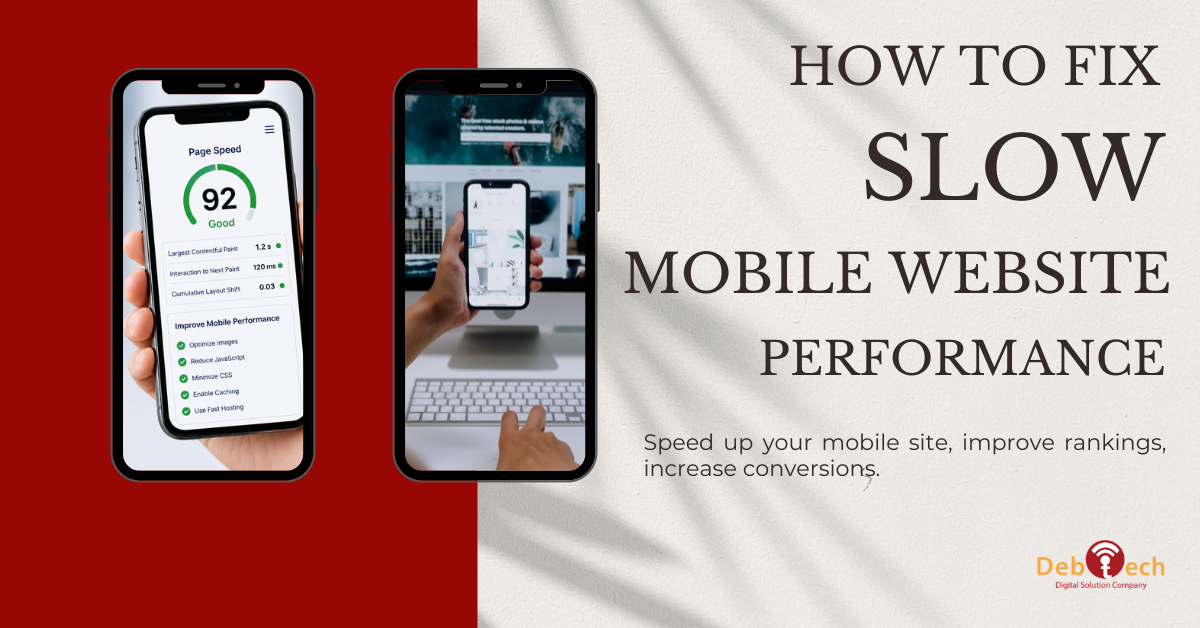
Use performance testing tools to review Core Web Vitals and identify the elements delaying the page. Focus on three signals: Largest Contentful Paint, which reflects when the main content becomes visible; Interaction to Next Paint, which measures responsiveness after a user taps or clicks; and Cumulative Layout Shift, which tracks unexpected movement on the page.
The audit should also show what is creating the delay. Common culprits include oversized images, excessive JavaScript, slow server response time, unoptimized fonts, third-party tracking scripts, and bloated page builders. A score alone does not tell you what to fix. The diagnostics do.
How to Fix Slow Mobile Website Pages at the Source
The biggest gains usually come from reducing the amount of work a phone must complete before it can display useful content. Mobile devices have less processing power than desktop computers, so a website that feels acceptable on a laptop can still perform poorly for the people most likely to call, submit a form, or buy.
Resize and compress images properly
Large hero images are one of the most common reasons a mobile page drags. Uploading a high-resolution desktop image and relying on the browser to shrink it for a phone wastes data and delays the first meaningful view of the page.
Serve images in modern formats when appropriate, size each image for its actual display area, and compress files without visibly damaging quality. A full-width banner may need several responsive versions, not one oversized file. Product galleries, team photos, background graphics, and logo files should receive the same scrutiny.
Be selective with lazy loading. Images below the fold should generally load later, but the primary image or content visible when the page opens should not be delayed. Lazy-loading the main visual can make the page appear empty longer and hurt perceived speed.
Reduce JavaScript and unnecessary plugins
Every script asks the browser to download, process, and execute more code. On mobile, that cost adds up quickly. This is especially common on WordPress sites that have accumulated plugins over time or landing pages built with multiple marketing tools layered on top of one another.
Review scripts by business value. If a tool does not support reporting, lead generation, conversion tracking, customer experience, or a required site function, remove it. Avoid loading chat widgets, pop-ups, heatmaps, social feeds, animation libraries, and ad tags on every page when they are only needed in specific situations.
Minifying and deferring scripts can help, but do not treat those actions as a substitute for cleanup. A lighter site is usually more reliable than a heavily optimized site carrying too much code.
Improve hosting and server response
A fast front end cannot fully compensate for a slow server. If the initial server response is delayed, every other improvement starts from a disadvantage. This can happen when hosting resources are stretched, caching is poorly configured, databases are overloaded, or the website runs outdated software.
Server-side caching, current PHP or platform versions, database maintenance, and a properly configured content delivery network can reduce delay. The right setup depends on your site type. A brochure website, an eCommerce catalog, and a logged-in customer portal have different caching requirements. For example, aggressive caching can break cart behavior or show stale personalized content if it is applied without testing.
Make fonts and visual effects earn their place
Custom fonts, sliders, video backgrounds, parallax sections, and complex entrance animations can make a site look polished in a design review while making it slower for actual prospects. The question is not whether an effect is attractive. The question is whether it helps a visitor understand the offer and take the next step.
Limit font families and weights, preload only essential files, and use system font fallbacks where appropriate. Replace autoplay background videos with a compressed image when the video does not carry essential information. Reduce motion-heavy sections on mobile, where they often contribute little to conversion and can create layout instability.
Protect the Pages That Drive Leads and Sales
Speed work should follow revenue, not just technical preference. Start with the pages receiving paid traffic, ranking for valuable search terms, or generating the highest volume of calls and form submissions. If a slow landing page is receiving a significant share of your ad budget, it deserves attention before a low-traffic blog post.
Look beyond the first page load. A form that freezes, a calendar embed that delays interaction, or a sticky call button that jumps around can damage mobile conversion even when a speed score looks respectable. Test the full path as a user would: search, arrive, read, tap, submit, and receive confirmation.
For local businesses in Northern Virginia and the broader DC metro area, this matters even more when mobile users are searching with immediate intent. Someone looking for a provider near Ashburn, Reston, or Fairfax may call the first credible business whose site answers the question quickly. A fast mobile experience supports that moment of decision.
Balance Speed, Tracking, and Marketing Operations
Marketing teams need analytics, ad conversion tracking, call tracking, CRM integrations, and sometimes chat or scheduling tools. Removing everything is not a strategy. The objective is to keep the technology that supports measurable growth while controlling the performance cost.
A practical approach is to audit each third-party tool quarterly. Confirm who owns it, what decision it supports, where it loads, and whether it is still needed. Consolidate overlapping platforms where possible. Load scripts only on relevant pages, delay nonessential tags until after user interaction when appropriate, and test changes before publishing them across the site.
This is where disconnected vendors often create problems. A developer may optimize the page, then a marketing platform adds several scripts, then a campaign team launches another tag. Performance degrades because nobody owns the entire system. Integrated execution keeps website development, SEO, and paid acquisition working toward the same business outcome.
Build Mobile Performance Into Every Future Update
The fastest way to lose progress is to treat speed as a one-time repair. New images, plugins, tracking codes, landing page sections, and design updates can quietly add weight back to the site. Make mobile testing part of the publishing process, not an emergency response after rankings or conversions decline.
Set practical performance standards for major templates and campaign pages. Before launching, check image sizes, script impact, mobile layout behavior, form usability, and Core Web Vitals. Monitor changes after launch as well, because real-user data can reveal issues that lab tests miss.
At Debtech, performance is treated as part of the conversion system, not a separate technical checklist. A mobile website should load quickly, communicate value immediately, and make the next action easy. When those three things work together, your traffic has a better chance to become leads, calls, and measurable growth.